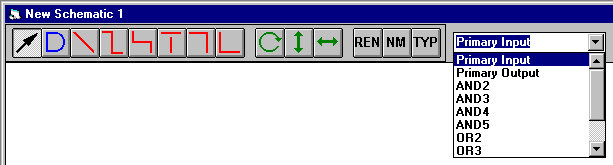
The schematic capture window is used to draw circuit schematics. Gates, wires and names are drawn using the mouse. Gates are taken from a predefined set of gates in a standard cell library. The drawing is controlled using the following controls and buttons. Click on the buttons and controls to determine their function. This window is opened when you execute a New Schematic command from the File menu, or when you open a file with the .cks extension.
The cell library is named mainlib.ckl and is contained in the WinFhdl install directory. This file can be replaced or edited using the FHDL cell editor.
You can change the name of something by double-clicking on it.
Connections are determined by segment names, not by physical connections between line segments. Two segments that have the same name are part of the same net even if they do not connect with one another in the schematic.
Any segment can have its name displayed next to it.
When Dog-Legs and L-Shaped lines are drawn, the individual line segments can be moved and deleted independently of one another. It is not possible to give two of these segments different names.
Clicking on the name of a gate or a segment selects the gate or segment.