ODBC data source setup instructions:
- Open the Control Panel
- Windows 2000 only Open Administrative Tools
- Double click ODBC Data Sources or Data Sources (ODBC). You
should see something similar to

- Select MS Access Database and click Add...
This window should appear.

- Select Microsoft Access Driver (*.mdb) and click Finish.
This window should appear.
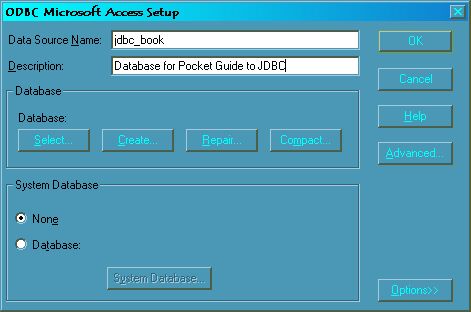
- Enter the name of the database (our example is jdbc_book) and
a description if desired. In the database panel, click on the
Select... button. This window should appear.

- Browse for the location of the access database. Select it and
click OK. You should be back at the window of step 5, except there should
now be the location of the database file in the database panel.
Click the Advanced... button. You should see

- Enter a username and password if desired. Click Ok until all of
the screens are finished.
Congratulations! You have setup an ODBC data source!